plugin

WordPress Clone and Backup

Update: The sale is now LIVE and is currently $27.00.

Buy now

***

One of my developers is almost done with a plugin that will enable you to create an identical copy of one of your existing WordPress sites onto another.

It’s an incredible time saver.

This is what you can do:-

  • Maintain a single up to date default blog on a sub-domain.
  • Add all your favourite themes and plugins to your default blog.
  • Then in a few seconds copy it to a new site.
  • Repeat.

Then when you need a new blog creating, all you have to do is enter the FTP and cPanel details of the target site and click go.

A few seconds later your target site contains an exact copy of your original blog and all you have to do is tweak a few things like the name and tagline etc, and you’re ready to go.

I guess you could also use it in reverse to back up your existing live blogs to a backup site on another sub-domain too.

It’s certainly something I’ve wanted to be able to do for a long time and I know there are a few unsatisfactory alternatives out there, but I didn’t feel that they fit my exact requirements.

There’s one that’s an expensive monthly service, and another that’s a Windows application.  There’s also a plugin out there, but I think it’s a little too expensive for what it does – maybe if it had a few extra features it would be worth it.

Anyway…

The developer reckons the beta will be ready Wednesday or Thursday next week, and when it’s done I’m going to add it directly to the affiliate scheme at full price as I know it will be a very popular plugin and plenty of people will want to promote it.

But…

In the tradition of the past 12 months and because I like to regularly say thank you for being a subscriber, I’d like to offer it to you at a hefty discount on pre-order.

In return, I’d like a little feedback please.  Things like how easy it was to install and use (once you get it), how much time it will save you, any enhancements needed (I’ve already thought of some cool upgrades for later versions), and so on.

Does that sound reasonable for such an amazingly cool and very useful plugin?

The plan is that I’ll make 50 available on pre-order for $10.00 tomorrow (Friday 7th) at 6.00pm GMT, then raise the price to $12.50 for the next 25 and $15.00 for the next 25 before setting the final price at $27.00 (maybe even $37.00, we’ll see).

This gives you the chance to get this plugin at the lowest price it will ever be for a very short time.

An important note though…

I’ve had lots of people miss these deals and then write to me asking if I could give them the same deal at a later date.

I never do as that’s just not fair is it?

First come, first served, be there or be square.  You know the score.  😉

Until tomorrow…

-Frank Haywood

Posted by Frank Haywood in internet business

End Of Year Bonus

Update: The price is now $27.00.

Buy now

***

My staff have put together a little something for you and the proceeds will go directly into their pockets as their end-of-year bonus.

I didn’t have to do this, but I thought it was a warm gesture at this cold time of year.  🙂

(Well, at least it’s cold in the UK, with sub-zero temperatures down to -8 C and 5 inches of snow outside.  Not much by some peoples standards, but it’s the kind of weather that brings the UK almost to a halt.)

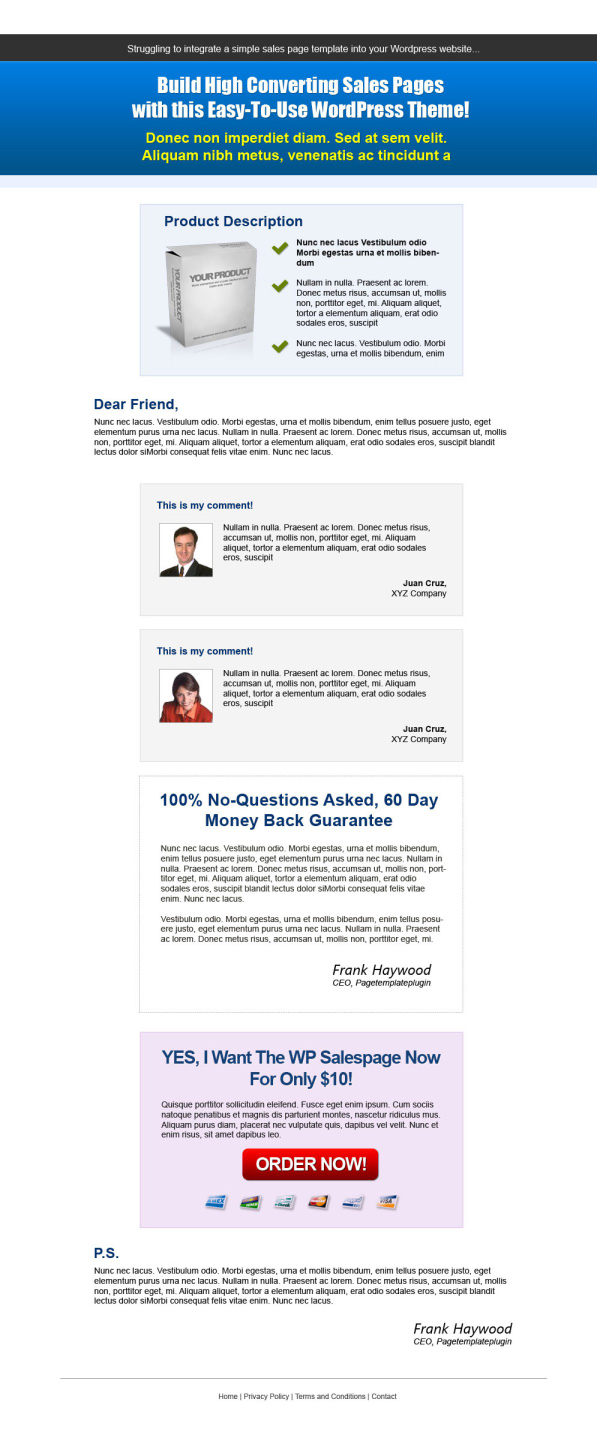
What they’ve done for you is to create a set of 5 sales page templates – which I think always come in handy – in both standard HTML and Page Template Plugin format.  These aren’t Christmas ones, they’re “regular” sales page templates, very clean looking.

Because we’ve also supplied them with the Page Template Plugin, this means you can easily use them to add sales pages to your blogs.

In case you missed the last update, you can now move the sections of your sales page around just by using short code tags.  And today we’ve been talking about how we can also allow you to use this plugin with posts as well as pages, which we’ve been asked about a few times now.

We’re not there yet, but we will be in the new year.  Then you’ll have a standard unified plugin that will allow you to add these special format templates to your posts AND pages.  😉

Any of the sales or squeeze page templates you have will all be updated to work with the new plugin when we release it in the new year.  It’s messy at the moment, but it will all get better.

Here are 60% original size screenshots of the designs.  OneTwoThreeFourFive.

The sale will open Thursday 23rd at 6.00pm GMT (1.00pm EST), at just $10.00 for the first 50 sales, rising to $12.50 for the next 50, and then to $27.00 for 100+.    As I said above, all proceeds will be shared amongst the staff as their end of year bonus.

I’ll drop you a line about 3-4 hours beforehand to remind you.

separator

Content Replacement Plugin

There’s one other important thing to tell you.

Because the content replacement plugin we released last week has caused so much confusion as to how it works, and also because of clashes with a couple of plugins/themes, we’ve made a bug fix and a few subtle changes to it.

It’s now more intuitive to use, so you should find it works as you expect it to, not as we orginally created it to work.  😉

It made much more sense for us to do this as we seemed to really miss the mark in terms of usage with this one, and for that I apologise.

You now set a start and (optional) end date for the snippet you want to insert in your blog and paste in the short code.  The snippet will show as long as it meets the date/time rules for the server.

We’ve also made it so that you can now “stack” them so that as one (or more) expires, others become active either immediately or whenever you set your rule.

It’s much better.  Again, I’m sorry for any confusion caused by our initial release.

Sometimes we just get things wrong…

Finally, my apologies as I haven’t been around the last week to reply to blog comments due to minor family illness.  I *think* I’m now all up to date and I’ve emailed the people who left me comments trying to get hold of me.  🙂

-Frank Haywood

Posted by Frank Haywood in internet business, software, wordpress plugins

Hot Swap Time Based Content

One of my plugin developers is just finishing off a plugin that will enable you to swap in and out different parts of a WordPress page or post based on date and time.

At this moment you may be thinking “What use is that?”, but it’s something I realised I was doing quite a lot of by hand.

Let me explain.

Imagine you’re running a time-based sale on one of your blogs…

Aha!  With me?

There are suddenly several scenarios that jump to mind.

#1 – You’re running a sale from 6.00pm on the 15th December for 48 hours.  You want the sale to automatically go live at 6.00pm and close two days later on the 17th at 6.00pm.

#2 – You start at a heavily discounted price, and after 48 hours flip to the regular price.

…and variants of the above.

Marketers do this kind of thing all the time to reward their regular customers and subscribers, and also seed the marketplace with a new product to get it talked about.  I do it for those very reasons myself.

Here’s another good use and one I’m planning to do in January.

You write several blog posts that actually constitute an ebook or short report.

Your subscribers get to read it for free, and in return for this free content, you ask for comments and feedback.  You let everybody know that the content will auto-expire at a certain date and time and will then only be available for purchase when you release your ebook.

Suddenly you’ve given what (on the face of it) is free content, a LOT of value.

And you’ve picked up testimonials and suggestions for improvement along the way.

Most importantly, all the while you’ve been doing this, you’ve earned the gratitude of your subscribers.

Take careful note of the above.  It’s marketing dynamite (on a timer) when used carefully.

On Wednesday 15th at 6.00pm I’ll be running a 48 hour low cost introductory sale of this new plugin.

It’s another one of those steps to turning WordPress into a total marketing machine, and you need this one in your marketing arsenal.

More on this on Tuesday.

-Frank Haywood

Posted by Frank Haywood in internet business, software, wordpress plugins

Christmas Sales Pages Update

In our never-ending quest to do great stuff that blows your socks off and puts a grin on your face, we’ve updated the WordPress bit of the Christmas Sales Page Templates.

There were two big problems with the original version.

Problem #1 – The elements on the templates were fixed in place.
Problem #2 – The order button had text on it as part of the button graphics.

We’ve now fixed both of those.

Solution #1 – We’ve created short code tags to represent most of the elements on the page.

This means you can now write your sales copy in the main editor, and position the elements wherever you want them within the copy by adding a tag where you want it to appear.  🙂

The short code tags you can use are:-

[product] – Inserts a johnson box with the contents of the Product Options fields.

[testimonial-1] – Inserts a johnson box with the contents of Comments Options 1.

[testimonial-2] – Inserts a johnson box with the contents of Comments Options 2.

[testimonial-3] – Inserts a johnson box with the contents of Comments Options 3.

[certificate] – Inserts a certificate graphic with the contents of the Certificate Options fields.

[purchase] – Inserts the order button with the contents of the Purchase Options fields.

[ps] – Inserts the PS detail with the contents of the P.S. Options fields.

[footer-links] – Inserts the footer links or text with the contents of the Footer field.

[br] – Inserts a single line break and is incredibly useful as the WordPress editor (TinyMCE) will strip out extra breaks in visual mode editing.

That last one was a spark of brilliance from the plugin developer and I’ve asked if we can have it included in the next version of Big Ed too.

You’ll notice that the exception/exclusion with the above tags is the Header Option.

It has to be at the top and will break the appearance of the page if we tried to make it movable.

This means you can now do things like create your page sales copy so it looks something like this:-

———————
[br][br][product]

Yes!  That’s right!  You can… blah, blah, blah.

[testimonial-1]

This enables you to… blah, blah, blah.

[certificate]

[testimonial-2]

So why delay?  Order now!

[purchase]

Closing text… blah, blah, blah.

[ps]

[testimonial-3]

[purchase]

[footer-links]
———————

Note that the [purchase] tag has been used twice so that you can put the order button in its regular place and also at the bottom for those people who go straight down to look for the price.

Cool huh?

Solution #2 – Alexandra L wrote to us to say that as a French speaker she wanted a method of changing the text on the order button or for us to supply the blank graphics.

D’oh!

Fixed.  So now you can do that too.

We’ve added a new Purchase Option called “Purchase Button Text”.  Any text you enter into that field will appear like magic on the order button.  No graphical editing required.

😉

The text itself appears to be embedded into the button and part of the button graphic (done with CSS I think), so again it’s another bit of brilliance from the designer and developer.

The result of these two changes means great looking sales page designs which anyone can use on any of their WordPress blogs without really needing to know anything about HTML.

Just upload, activate and add sales copy.

The only thing we can’t make easier for you is the sales copy.  It’s a skill you *need* to learn for yourself.  Practice makes perfect.

The plugin isn’t perfect yet and there are a few inconsistencies such as the short code tags not matching the option description, but we’ll fix that with the next release.  I wanted to get it out to you ASAP while it’s still leading up to Christmas.  😉

Just go back to your personal download page (you DID bookmark it, right?) and grab the zip.

What you’ll find when you upload and activate it is that the page looks EMPTY when you first select a template and publish.

Don’t forget (like I did) that you need to add all the short code tags in your page editor before they show.  Ahem.  😉

Finally, Multiple Streams Themes 4 and the squeeze page templates that went on sale on Friday now have just a few copies left at the $12.50 price point, so they’re still quite cheap if you don’t already have them.

Probably the next release of the Page Template Plugin will incorporate both squeeze and sales page functionality and you’ll be able to choose between the two with templates being optional extras.

Have fun…

-Frank Haywood

Posted by Frank Haywood in internet business, software, wordpress plugins, WordPress Themes

LIVE – Multiple Streams Themes 4

The sale for Multiple Streams Themes 4 including three bonus plugins…

#1 – Ads Manager
#2 – Redirection
#3 – Squeeze Page Templates

…is now LIVE at just $17.00 until launch in January when it rises to $27.00 and you can buy directly on this link here…

Buy now

If this is the first you’ve heard of it, you can find out more and see a total of four short videos here and here.

-Frank Haywood

Posted by Frank Haywood in internet business, software, wordpress plugins, WordPress Themes